HP Print Service Plugin
HP Inc.Productivity
4.1356.49K Reviews
- Version
- 23.2.6.3182
- Installs
- 1.00B
- Age Rating
- Everyone
Screenshots
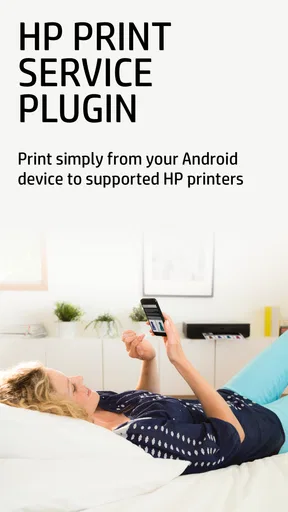
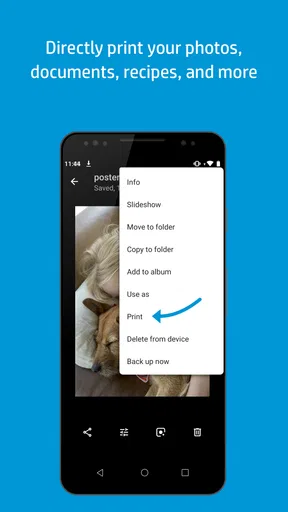
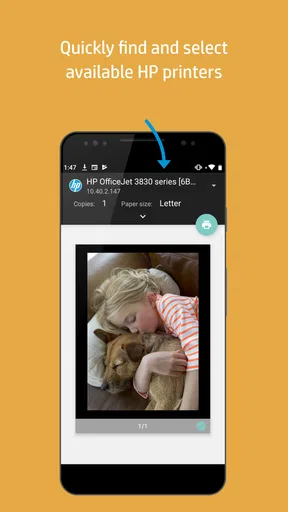
Our Review of HP Print Service Plugin
 Analysis by Appyee
I like the idea behind HP Print Service Plugin because it puts a useful job close to where I already keep my documents: on my phone. Its appeal is not that it replaces every part of a printer’s own software, but that it can make the ordinary “open a file, choose print, and get a paper copy” routine less awkward. If you use an HP printer and print now and then from Android, this is a practical tool to consider; if you want a full printer-management suite or do most of your printing from a computer, it may be more than you need.
Where it fits in everyday printing
HP Inc. makes this free productivity app, and its focused role is to provide a route from compatible apps to HP printers. That distinction matters: I would think of it as a printing service that supports the Android print flow, rather than as a general-purpose document editor or a replacement for every printer utility. It has been available since May 14, 2013, and its current version is 23.2.6.3179, with Android 6.0 as the minimum operating system.
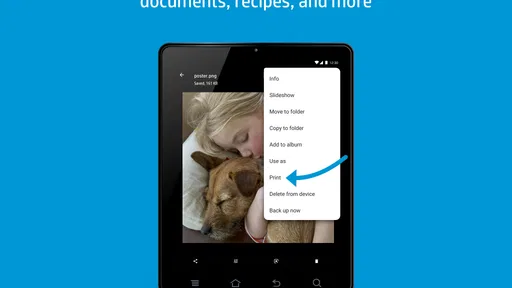
The simple workflow is its strongest argument. When I’m reading a document or viewing an image in an app that offers printing, I can use the print option and select a printer rather than first moving the file to a computer. For a household that prints school forms, a recipe, or a return label occasionally, removing that extra transfer step is more valuable than an elaborate dashboard. It is rated for Everyone, costs nothing to install, and its 1B+ installs suggest that many people use it as part of a familiar mobile-printing setup.
Making a phone-to-printer workflow work
I find mobile printing works best when I treat the phone as the starting point, not as a substitute for checking the printer itself. Before sending an important page, I make sure the intended printer is available and review the document’s layout so a small screen doesn’t hide a paper-saving adjustment. That practical routine sets up the next section’s look at the basic choices worth checking before printing.
Getting Down to the Basics
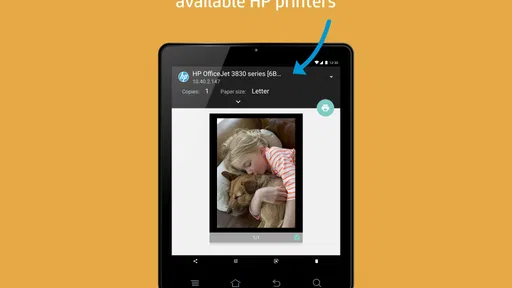
After the installation, I was eager to test how it performs with different documents and photos. The app allows you to print a variety of formats, from PDFs to JPEGs, which is super handy if you’re like me and have a bit of everything stored on your phone. With just a few taps, you can select your printer and hit print. It’s as straightforward as that.
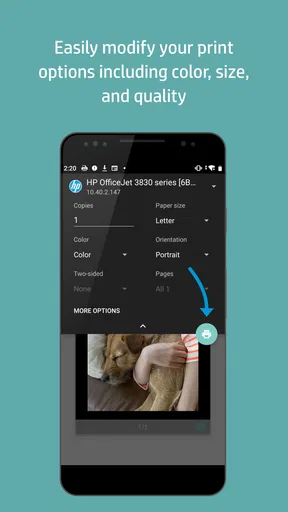
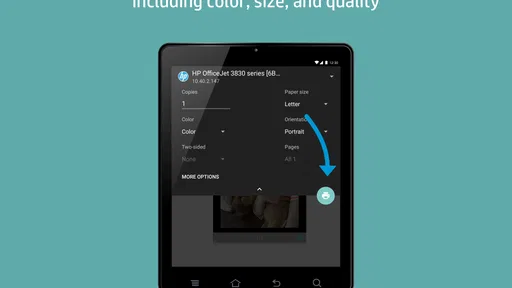
One of the standout features is the ability to adjust print settings directly from your phone. Want to print in black and white? You got it. Need to switch to landscape mode? No problem. The app’s interface is intuitive, making it easy to navigate through options without feeling overwhelmed.
A useful habit is to check the print preview and options before sending anything important. A document that looks tidy on a phone screen can still be awkward on paper: a wide table may need a different orientation, while a long file may use more sheets than expected. I treat the phone’s print screen as the last chance to catch that mismatch, rather than assuming the printer will choose the layout I had in mind.
For a realistic day-to-day example, imagine receiving a school permission form as an attachment while you’re away from your desk. If the app you opened it in offers printing, you can send it toward a nearby HP printer without first emailing it to yourself or locating a laptop. That is where this kind of plugin earns its place: not by making printing exciting, but by shortening a small, familiar chore.
Performance and Print Quality
Now, let’s talk about performance. I was pleasantly surprised by how swiftly the HP Print Service Plugin handles large files. Whether it’s a high-resolution image or a lengthy PDF report, the app processes the files quickly without freezing or crashing. The print quality is top-notch, delivering crisp texts and vibrant colors that can rival any desktop printer setup.
What impressed me the most is the consistency. I tested the app with various HP printers, and it delivered excellent results each time. This kind of reliability is what you want when you’re printing important documents or cherished photos.
There is a practical caveat to that convenience: the plugin is useful only when the printer and the phone can reach each other through a compatible setup. If a printer does not appear, I would first check that it is on and connected to the same local network as the phone, then reopen the print flow and look again. That basic check is often more sensible than repeatedly tapping print or reinstalling the app.
Additional Features Worth Noting
Beyond the basics, the app offers some handy features that enhance the overall user experience. For instance, you can monitor ink levels and get notifications when it’s time to replace cartridges. This feature is a lifesaver for those of us who often forget to check these things until it’s too late.
Another cool feature is the ability to print from cloud storage services like Google Drive and Dropbox. This means you can access and print files stored in the cloud without needing to download them to your device first. It’s a small touch, but it makes a big difference for productivity.
When printing a cloud file, I’d still open it and check that it is the right version before sending it. People often have several copies of a form or report with similar names, and printing the wrong one wastes paper even if the connection works perfectly. For shared or work-related documents, verifying the page layout and content on the phone is a simple safeguard.
What to expect when something goes wrong
The main limitation is that this is not a universal printing solution. It is centered on HP printers, so someone with a mixed collection of printer brands may prefer the print service or app that best supports the whole household. Likewise, if you need extensive printer administration, document editing, or a workflow built around a particular office system, a dedicated manufacturer app or desktop software may suit you better. The plugin’s strength is the direct print handoff, not doing every printer-related task.
Mobile printing also depends on the app holding the file. If a particular document viewer does not offer a print command, the plugin cannot make that missing option appear inside the viewer. I would try opening the same file in another app that supports Android printing before concluding that the printer itself is the problem. This distinction helps narrow down whether the obstacle is the document app, the network, or the printer.
Compared with sending a file to a computer and printing from there, the plugin removes a step when you are already on your phone. Compared with a manufacturer’s broader printer app, it is better understood as a focused way to reach printing from supported apps, rather than a one-stop place for every device task. If your needs are occasional and straightforward, that simplicity is a plus; if you regularly adjust advanced printer settings, a fuller management app can be the better choice.
Who will get the most from it
I would recommend it most to Android users who already have an HP printer and want a low-friction way to print the documents and images they open on their phone. Students, families, and people who handle forms or work papers away from a desk are natural fits. Someone who prints only from a computer, owns a printer from another brand, or needs extensive document tools should not expect this plugin to solve those separate needs.
The app’s scale is reassuring but not a guarantee that every individual setup will behave identically: it has a 4.1 average rating from around 3 million ratings, alongside roughly 357,000 written reviews. I read that as a widely used utility with a clear job, not as proof that every printer, network, and phone combination is effortless. The best test is whether your own printer appears in the Android print flow and whether the options available there cover the pages you actually need.
Is It Worth the Download?
So, is the HP Print Service Plugin worth adding to your app collection? Absolutely. If you own an HP printer and want a hassle-free way to print directly from your smartphone, this app is a must-have. It’s efficient, user-friendly, and packed with features that make mobile printing a breeze.
In a world where convenience is king, having the ability to print on-the-go without jumping through hoops is invaluable. Whether you’re a student, a professional, or just someone who loves printing photos from your phone, the HP Print Service Plugin delivers a smooth and reliable experience. Give it a try and see for yourself how it can transform your mobile printing tasks into something effortlessly easy.
Privacy and Permissions
See what permissions an app requests and how it handles your data.
- Identity
- find accounts on the device
- Contacts
- find accounts on the device
- Location
- approximate location (network-based), precise location (GPS and network-based)
- Photos/Media/Files
- read the contents of your USB storage
- Storage
- read the contents of your USB storage
- Wi-Fi connection information
- view Wi-Fi connections
- Other
- view network connections, create accounts and set passwords, change network connectivity, connect and disconnect from Wi-Fi, full network access, control Near Field Communication, run at startup, use accounts on the device, control vibration, prevent device from sleeping
Verdict
Strengths of HP Print Service Plugin
- Seamless integration with HP printers.
- Supports multiple file formats.
- Easy to set up and use.
- Regular updates enhance performance.
- Mobile-friendly interface.
Limitations of HP Print Service Plugin
- Limited to HP printers only.
- Occasional connectivity issues.
- Requires stable internet connection.
- No advanced editing features.
- May drain battery quickly.
Other Releases by HP Inc.
View All
Samsung Print Service Plugin
Productivity3.7

HP
Productivity4.2
Similar Picks in This Category
View All
Google Calendar
Google LLC4.6

Google Drive
Google LLC4.3

Google Assistant
Google LLC3.9

Microsoft OneDrive
Microsoft Corporation4.6

Samsung Calendar
Samsung Electronics Co., Ltd.4.1

Microsoft OneNote: Save Notes
Microsoft Corporation4.6
You May Also Like
View All
Frequently Asked Questions
What is the purpose of the HP Print Service Plugin?
The HP Print Service Plugin is designed to simplify printing from Android devices. It enables users to print documents, emails, photos, and web pages directly from their smartphones or tablets without needing additional drivers or software. This app is especially useful for those who frequently need to print on the go.
Is the HP Print Service Plugin compatible with all printers?
The HP Print Service Plugin is compatible with most HP printers released after 2014. It also supports many other printer brands that are compatible with the Mopria Print Service. However, for optimal performance, checking the plugin’s compatibility with your specific printer model is advisable.
Do I need an internet connection to use the HP Print Service Plugin?
An internet connection is not always necessary. You can print using a local Wi-Fi network, allowing your device to communicate directly with the printer. However, if you're using cloud services or need to access documents stored online, an internet connection will be required.
How do I set up the HP Print Service Plugin on my device?
Setting up the HP Print Service Plugin is straightforward. After installing the app from the Google Play Store, enable it in your device’s settings under ‘Printing’. Then, connect your device and printer to the same Wi-Fi network. The plugin should automatically detect compatible printers for printing tasks.
Are there any costs associated with using the HP Print Service Plugin?
The HP Print Service Plugin is free to download and use. However, printing itself may incur costs depending on your printer’s usage, such as ink or toner consumption. It’s important to check with your printer’s manufacturer for specific cost-related details or any additional services that might involve charges.
